
SOLUTION
USER PERSONAS
USER JOURNEY MAP
Mapping Emotions to Design Needs: Understanding User Experience through Claire's Journey
DESIGN REQUIREMENTS
Our key design requirements are features that our design must have, which shaped and informed our lo-fi prototype.
STORYBOARDS
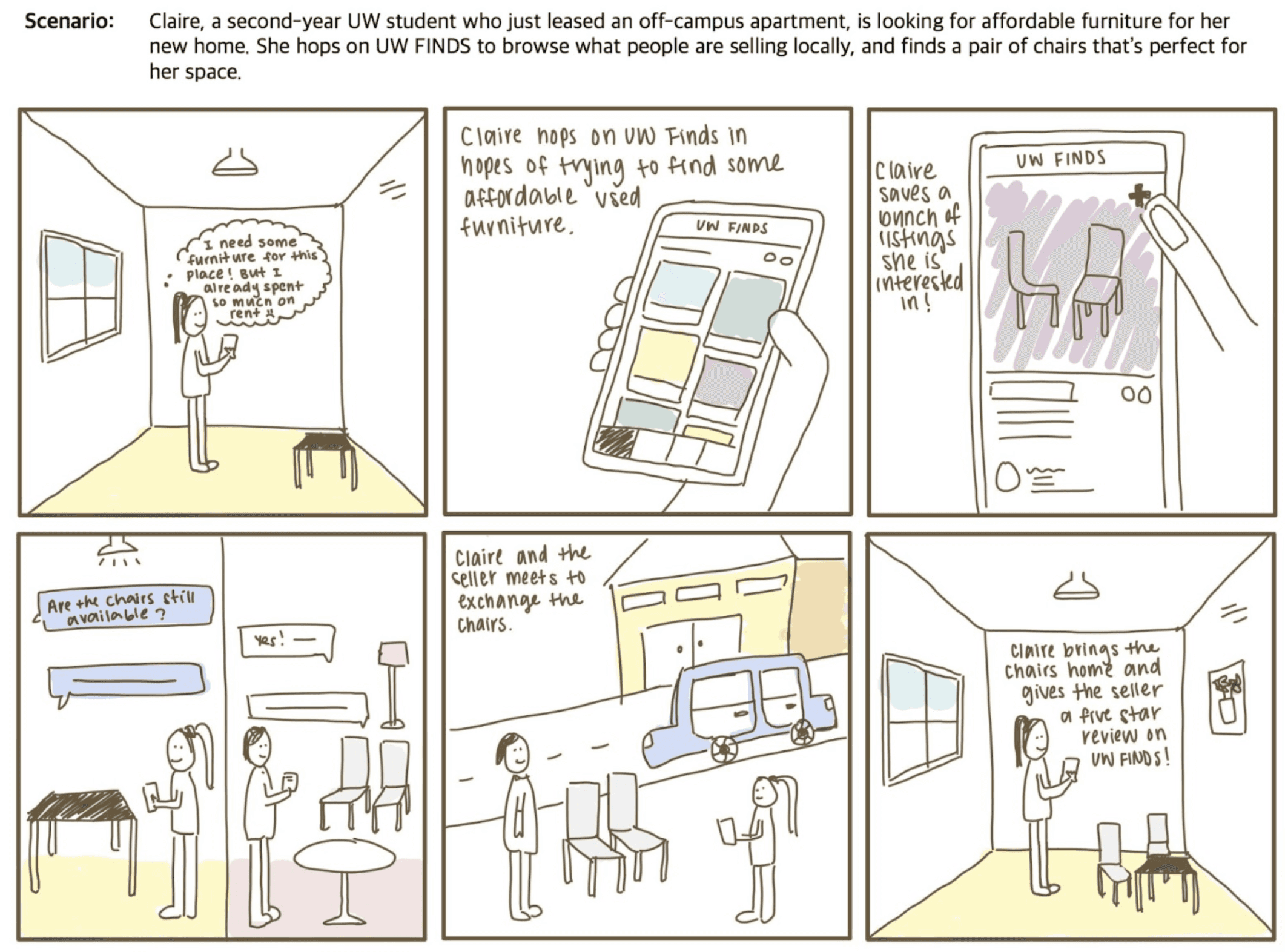
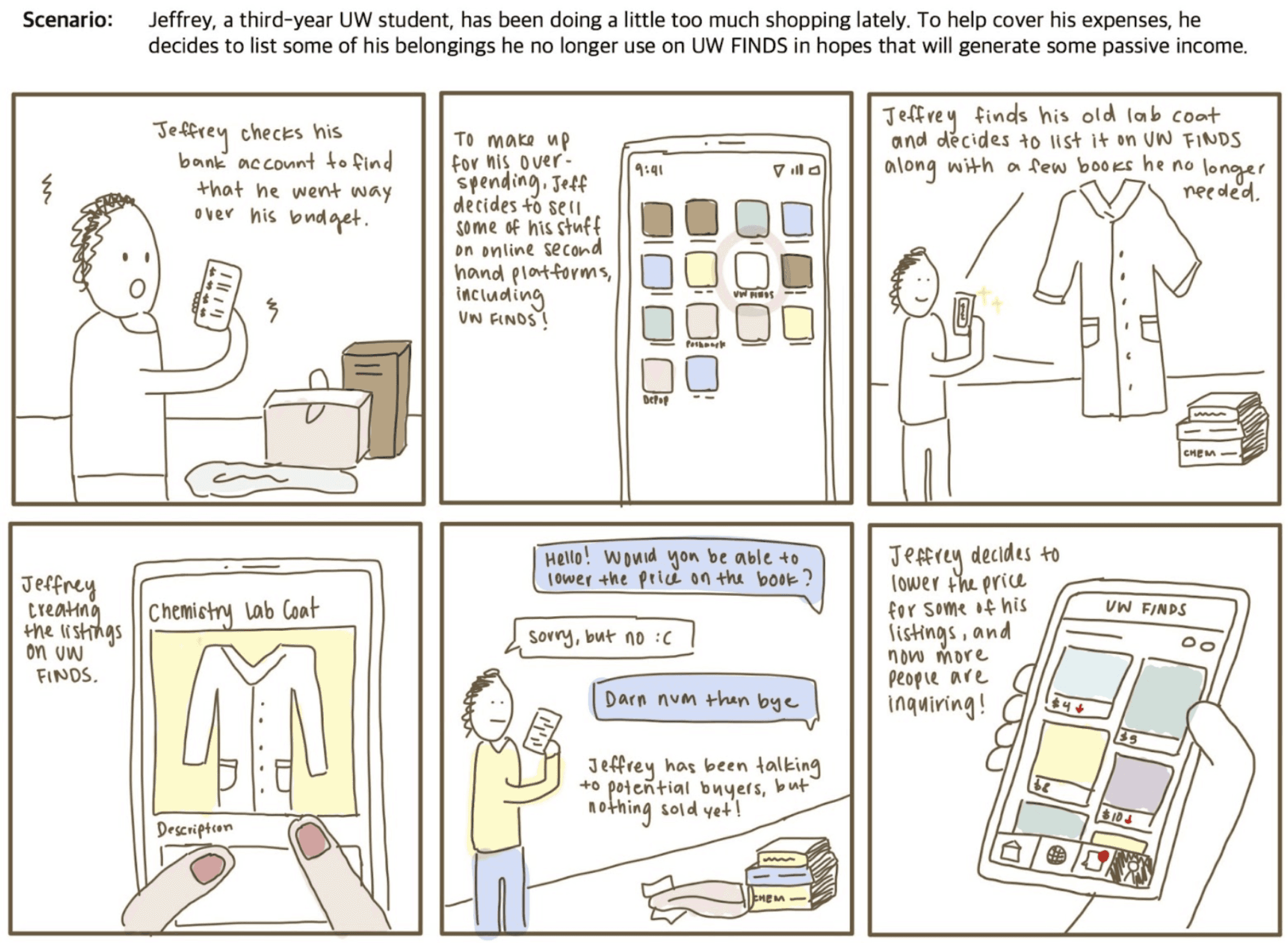
Two Storyboards: Buyer and Seller Perspectives
The storyboards depict user journeys in specific scenarios, illustrating interactions with our product. Inspired by personas and the user journey map, they provide a realistic view of user experiences with our product.
LOW FIDELITY PROTOTYPE
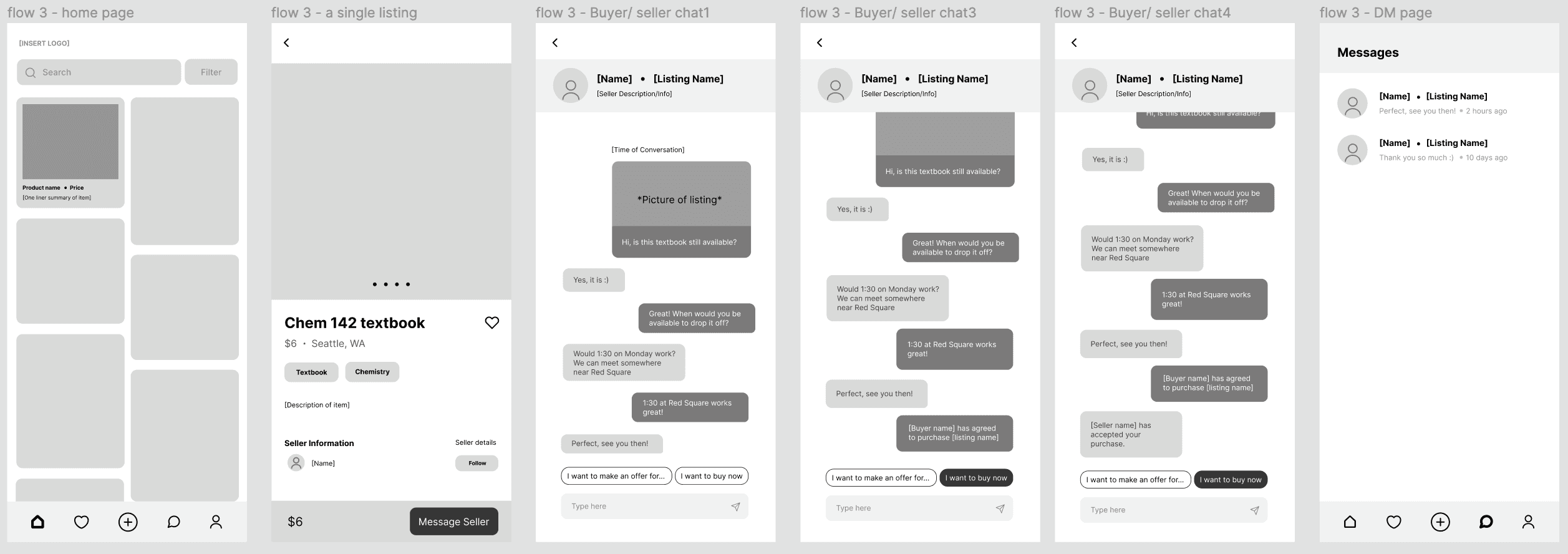
3 Main Flows: Upload Listing, View Listings and Seller Profile, Chatting Feature for Seller-Buyer Communication
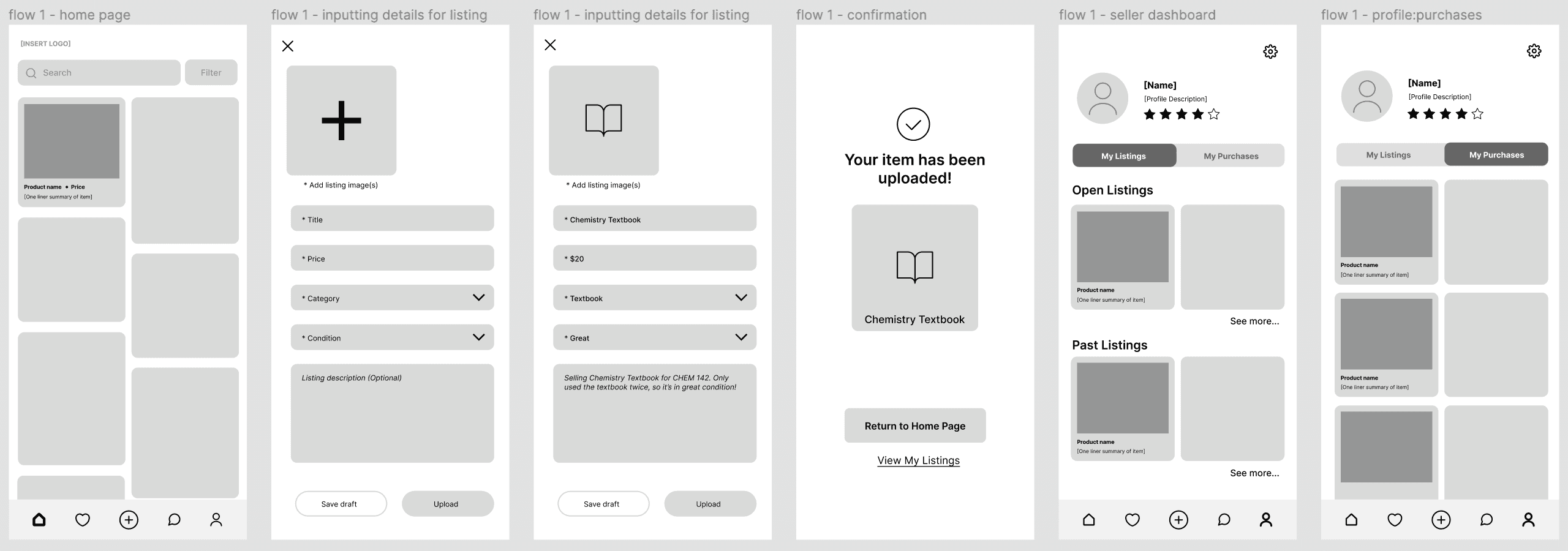
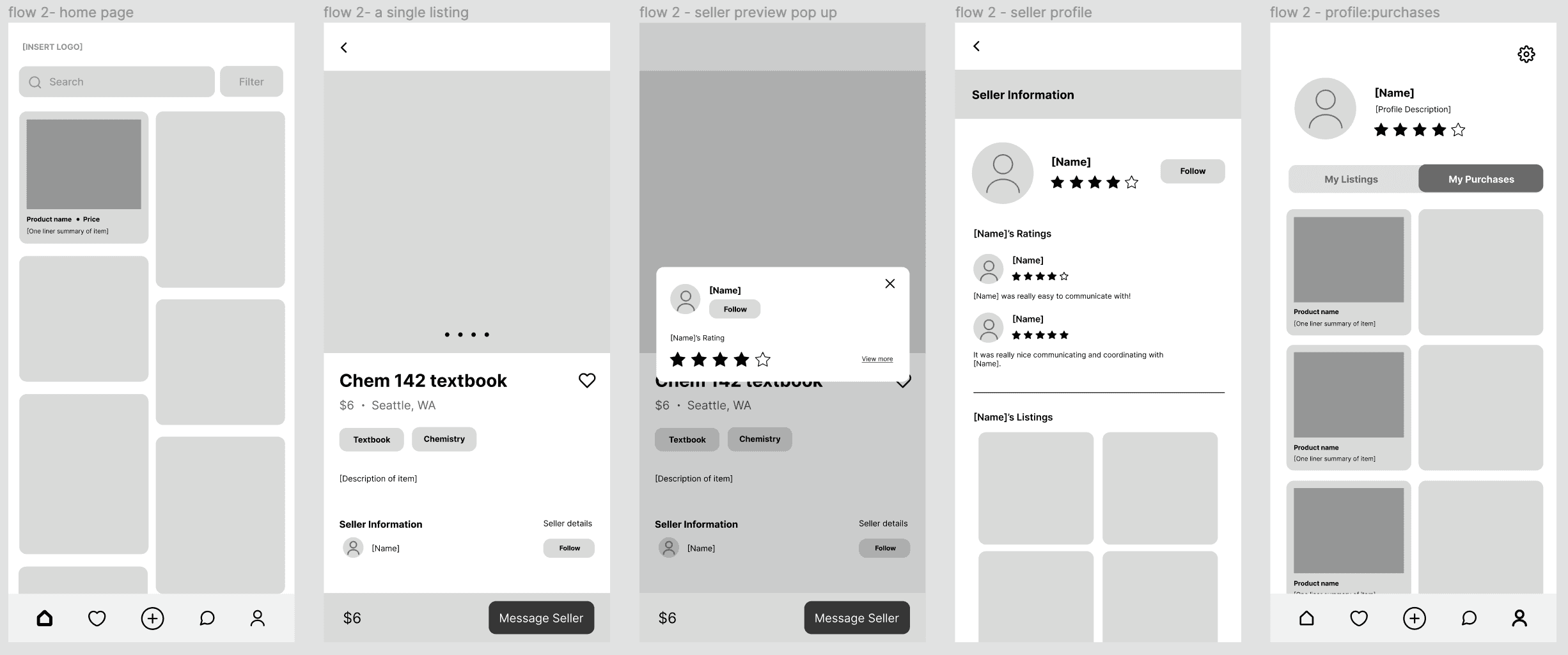
We created a gray-scale, low-fidelity interactive prototype on Figma, making sure to include all components we wanted to include in our app.
FLOW #1 - UPLOADING A LISTING
FLOW #2 - VIEW LISTING & SELLER PROFILE
FLOW #3 - CHATTING + PURCHASE
INFOMRATION ARCHITECHTURE
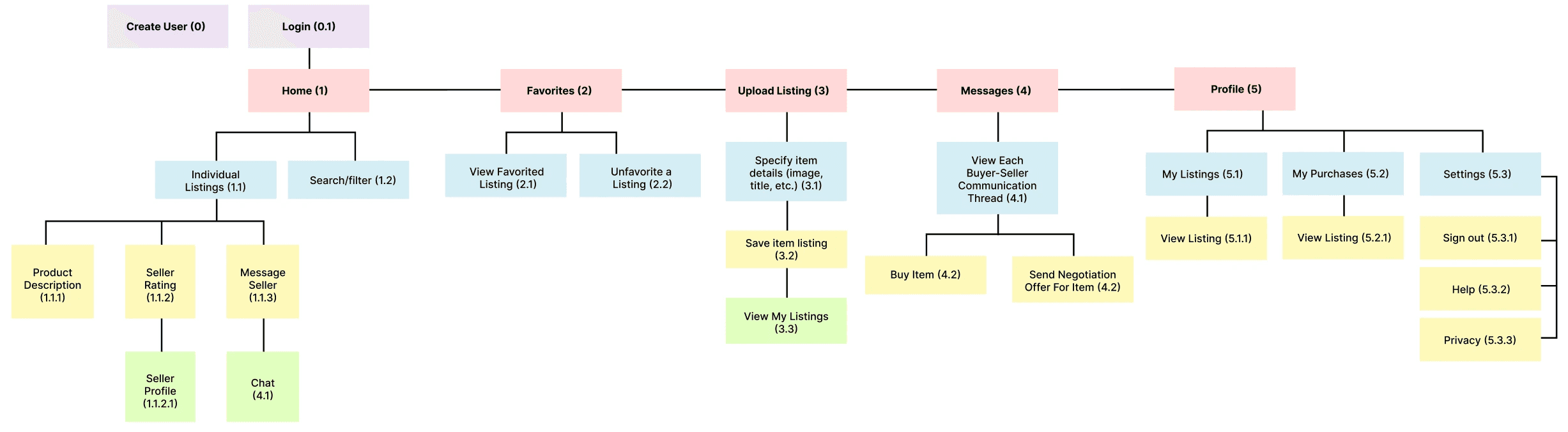
Mapping Pathways and Functionality
The diagram organizes and visualizes our design's pathways and subcategories, clarifying component connections. It serves as a comprehensive roadmap for our final hi-fi prototype, capturing our product's complete functionality.
USABILITY TESTING
Evaluation Plan
METHOD:
Introduced product goal and functionality, provided task scenario.
Gave low-fidelity interactive prototype to complete tasks.
Observed navigation, prompted verbalized thinking during tasks, and noted actions and live reactions.
Conducted post-interview for feedback on difficulties, likes, dislikes, desired features, and additional thoughts.
TASKS:
Uploaded a listing: Create and upload an old textbook listing, evaluated completion based on button usage and ease/difficulty.
Viewed a listing and its seller: Navigate to view listing and seller profile, evaluated completion based on navigation.
Messaged seller to purchase: Message seller about purchasing a listing, evaluated completion based on successful purchase and communication experience.
USABILITY TESTING INSIGHTS
Enhanced Seller Profile Access, Improved Chat Feature, Accessible Action Buttons, and User-Friendly Navigation Options
FINAL SCREENS
The final product
REFLECTION